
For horizontally oriented products such as wristbands, lanyards, and other similar items, it is recommended to utilize the full width of the designer area. These products generally have a long and narrow layout, and expanding their view to full width allows customers to customize and preview their designs more comfortably and accurately.
Steps to Use the Full Width of the Designer
1. Open Impact Designer Admin and click “Products” from the navigation panel.

2. The product listing page will appear. Click “Settings”, located below the Actions panel.
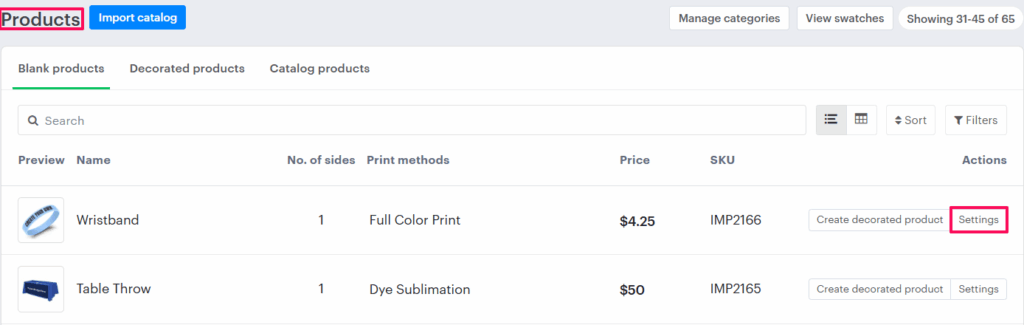
3. The Decoration Area Settings page will open. Scroll down to find the Imprint Area section.
4. Enable the checkbox “Use full width of designer”.
5. Scroll down and click “Save Decoration Area”.
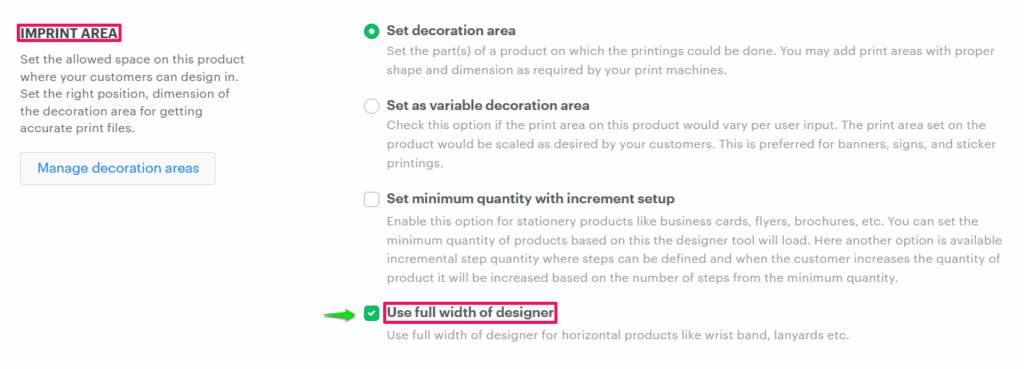
You have successfully enabled the option for products to appear in full width within the designer tool!