
To set an additional price for product size variants:
1. Open Impact Designer Admin.
2. Click “Products” in the navigation panel.

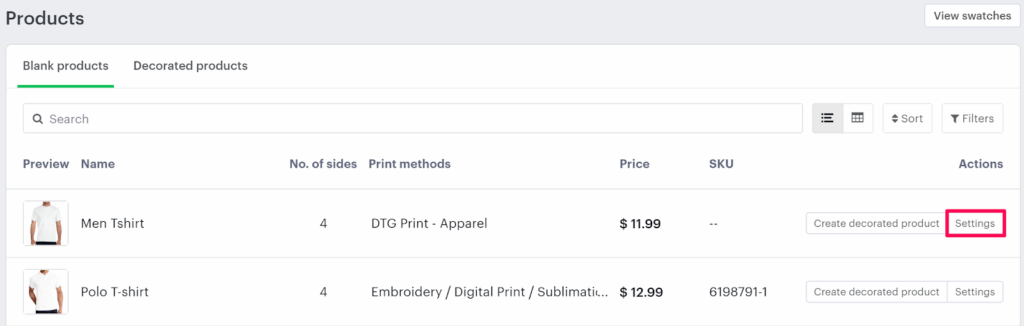
3. On the Products page, click “Settings” under the Actions column.
4. Go to the Price Rules tab and check the box labeled “Price by Size”.

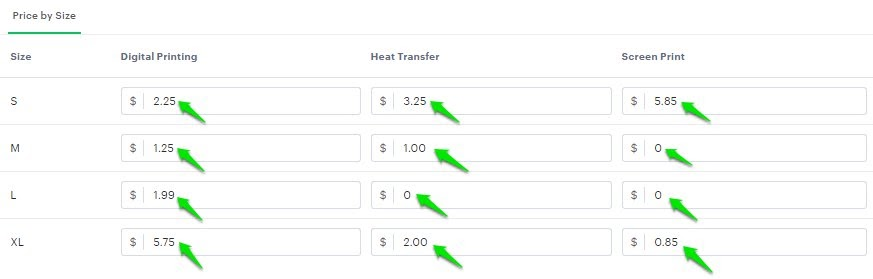
5. A list of size variants will appear below.
• Enter the additional cost for each desired product size variant under the respective print methods (e.g., Digital Printing, Heat Transfer, Screen Print, etc.).
6. Click “Save Price Rule” to apply your changes.
You’ve successfully set an additional price for product size variants!
► This additional price will be added to the total decoration price when a customer adds a design to the product.