
This feature is useful when a product is configured with multiple decoration areas, and you want to restrict design editing to specific areas.
Steps to Disable Designing for a Decoration Area
1. Open Impact Designer Admin.
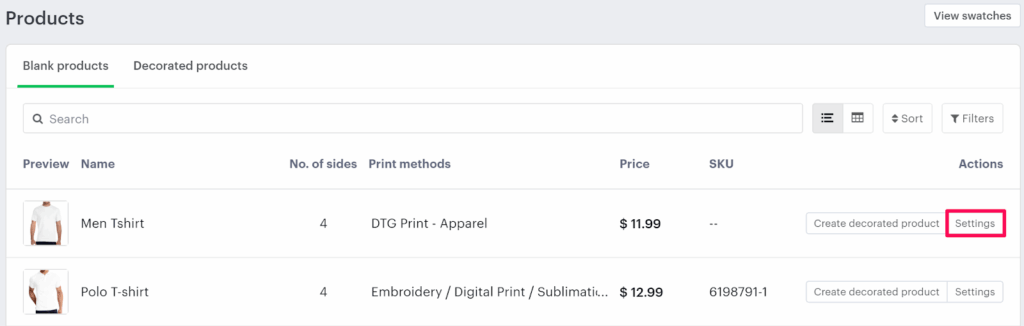
2. Click “Products” in the navigation panel.

3. On the Products page, click “Settings” under the Actions column.
4. Scroll down to find the Assign Imprint Area section.
• Click “Add Imprint Area” to add multiple decoration areas to the product.
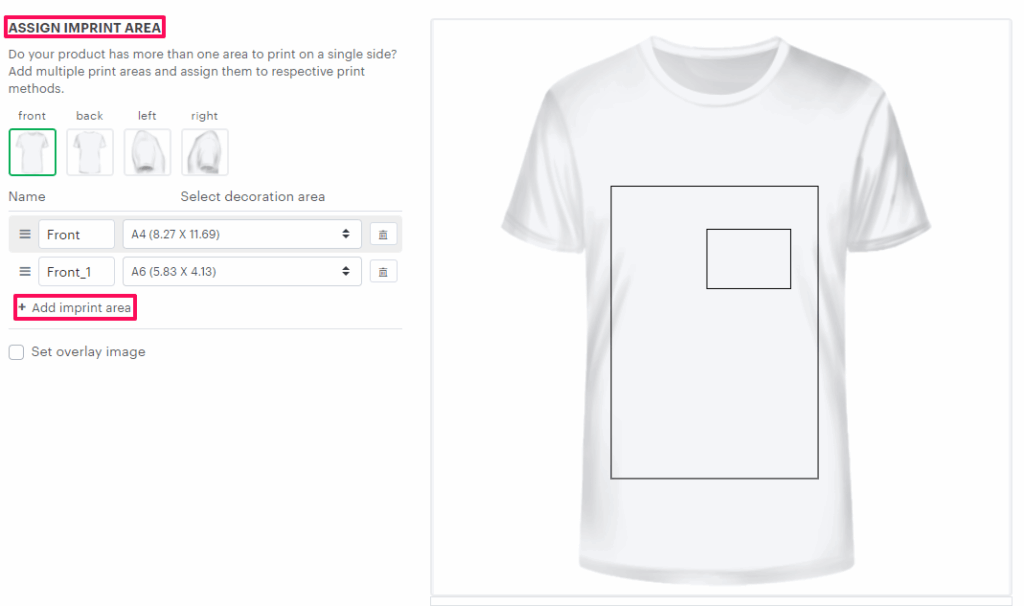
► For instructions on adding multiple decoration areas, click here.
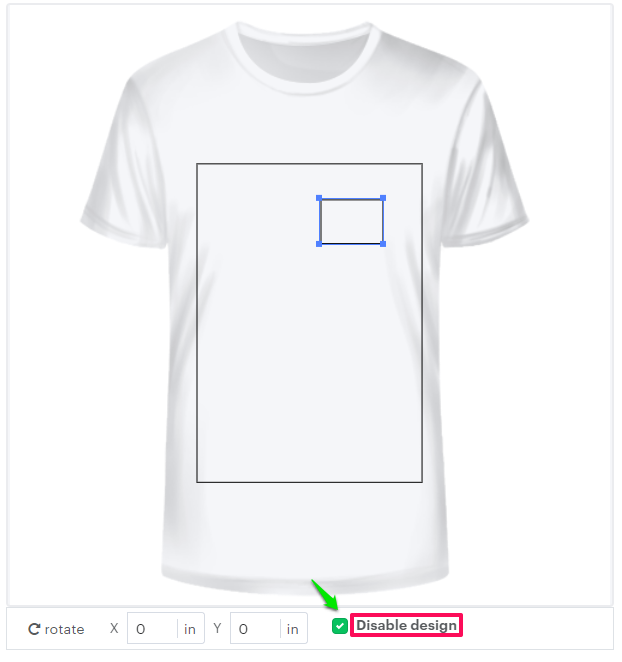
5. Select the specific decoration area you want to disable.
6. Enable the checkbox labeled “Disable Design”.
7. Scroll down and click “Save Decoration Area” to apply your changes.
You’ve successfully disabled designing for the selected decoration area!