
Steps to Set the Maximum Number of Colors
1. Open Impact Designer Admin.
2. Click “Print Profile” in the navigation panel.

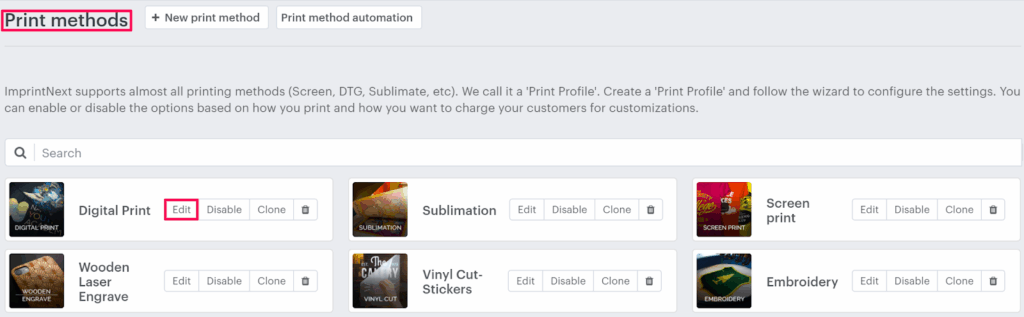
3. In the Print methods page, select your print method and click “Edit.”
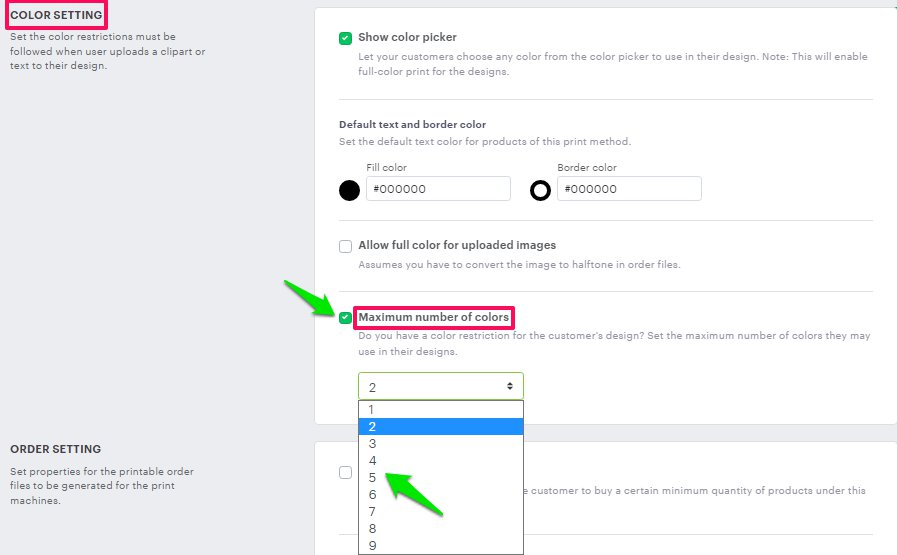
4. The print method setting page will appear. Scroll down to find the Color setting and enable the checkbox for Maximum number of colors. A dropdown box will open below, and select the number of colors to be used.
5. Click “Save.”