
Steps to Enable/Disable Edit and Recreate Templates
1. Open Impact Designer Admin.
2. Click “Print Method” in the navigation panel.

3. In the Print methods page, select your print method and click “Edit”
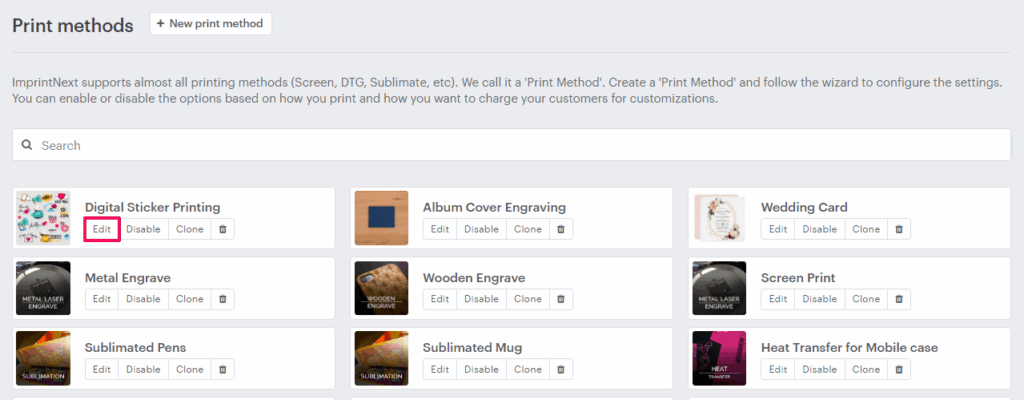
4. A new page will open. Scroll down to find Feature On/Off and enable the checkbox for Use from Templates.
5. In the Template Settings section, enable the toggle for Enable Edit Template or Enable Recreate Template to show the feature in the designer tool.
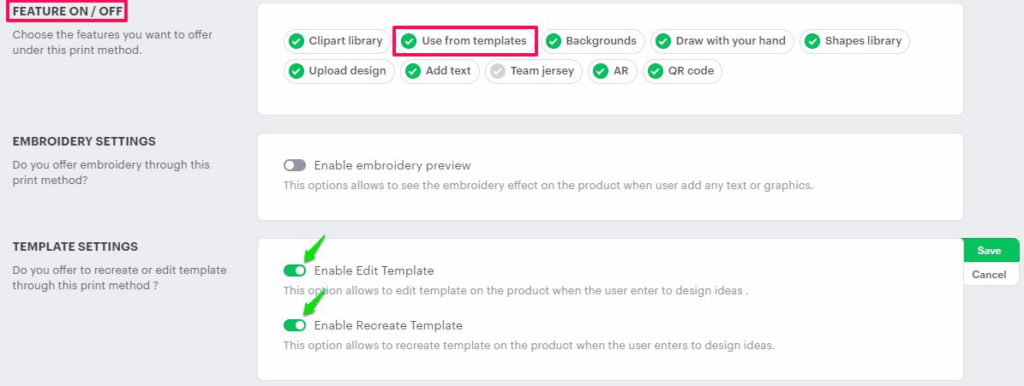
6. Click “Save”
You have successfully enabled the edit and recreate template options!