
Steps to Delete a Print Profile
1. Open Impact Designer Admin.
2. Click “Print Profile” in the navigation panel.

3. In the Print Methods page, select your print method and click on the delete icon.
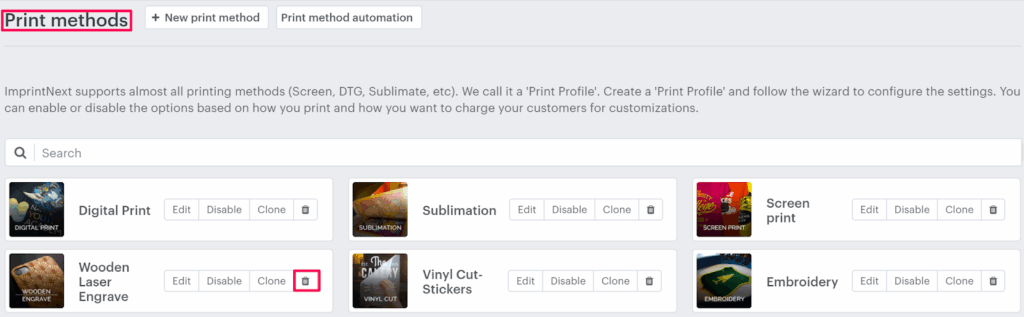
4. A pop-up will open asking you to confirm your action.
5. Click “Yes, delete it”
You have successfully deleted a print profile!
► After deleting the print method, it cannot be retrieved or restored.