
Steps to Clone a Print Profile
1. Open Impact Designer Admin.
2. Click “Print Profile” in the navigation panel.

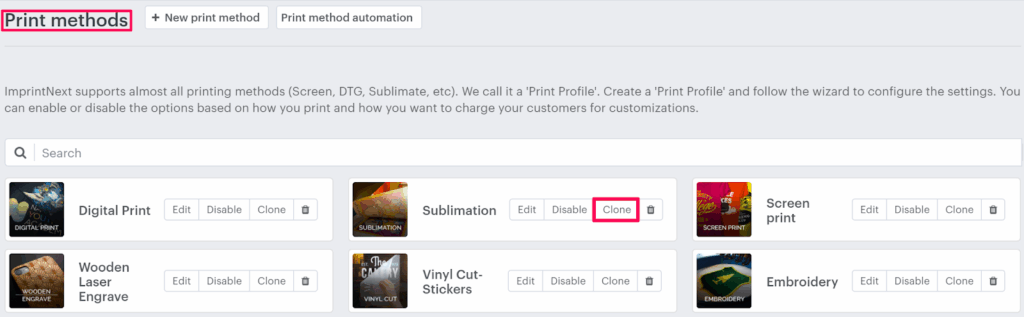
3. In the Print methods page, select your print method and click “Clone”
4. A pop-up named Creating new print profile appears. Click “Upload Image” to upload print profile images and enter the name of the print profile.
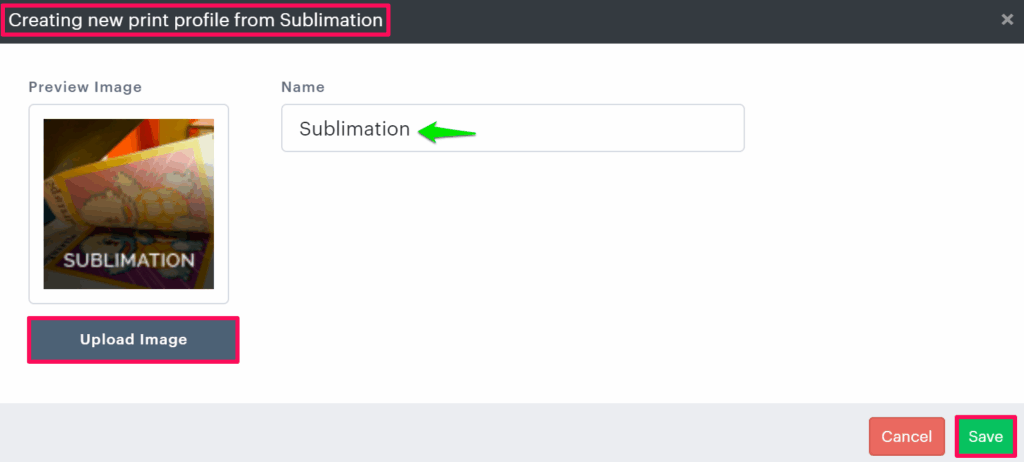
5. Click “Save”
You have successfully cloned a print profile!
► All the settings from the existing print profile will get copied to the newly created print profile.