
The setup cost allows you to add an optional pricing setup amount to the overall print cost.
Steps to Enable Setup Cost
1. Open Impact Designer Admin.
2. Click “Print Profile” in the navigation panel.

3. In the Print methods page, select your print method and click “Edit”
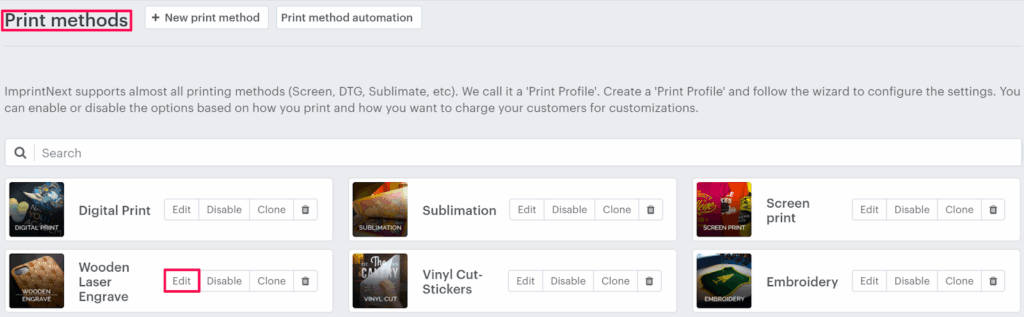
4. Select the Price Setting tab.

5. Click “Add Print Pricing”

6. A pop-up named Select Pricing will appear. Under the Different price setup, select the Setup cost checkbox and click “Apply”

7. Under Print Price Setting, the Setup Cost module will appear. Move to the right and give the desired setup price in the box, and click “Save price settings”.
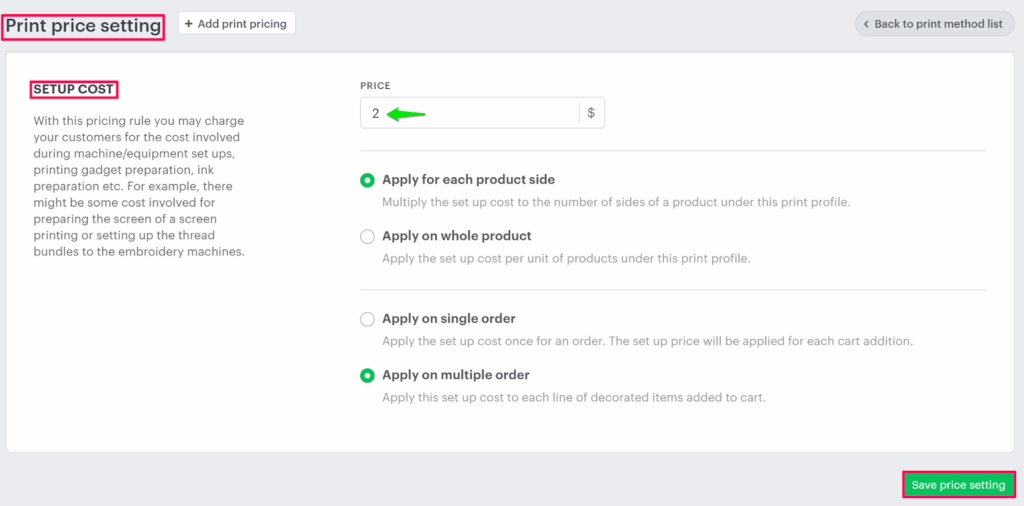
You have successfully enabled setup costs!
Example:
How will the tool calculate the cost based on the price configuration?
Hypothetical Question 1:
When Apply for each product side and Apply on single order is enabled.
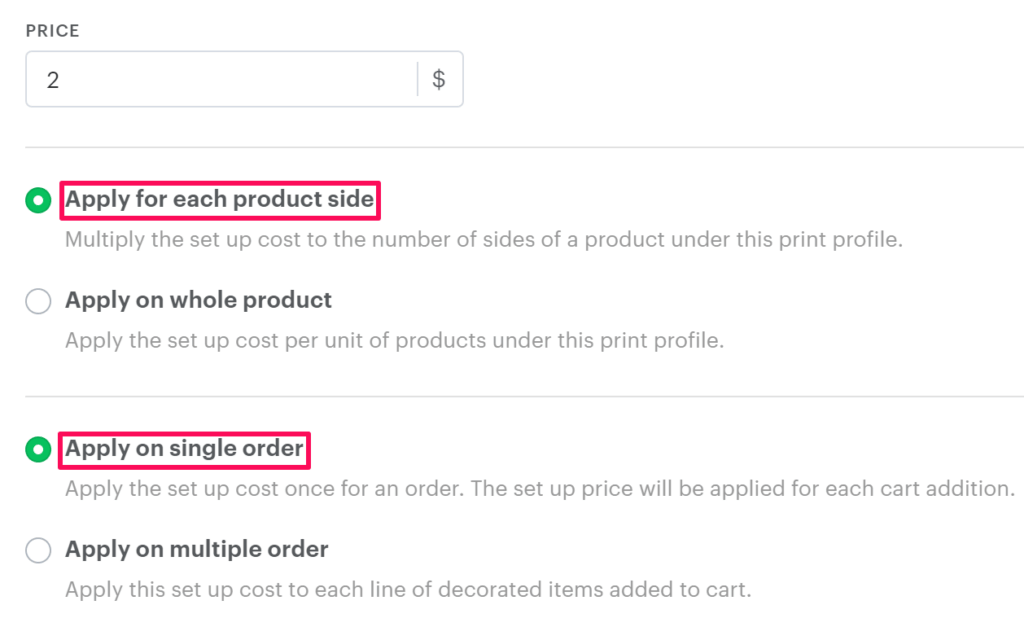
Product Price = $12
Setup Cost = $2
Total number of customized sides = 4
Quantity= 50
Answer:
Setup Cost = $2
Total number of customized sides = 4
Order Quantity = 50
Firstly, Apply for each product side, the calculation will be:
Apply for each product side = Setup Cost x Total number of sides customized
= $2 x 4
= $8
Secondly, Apply on single order calculation will be:
Apply on single order = Order Quantity x Apply for each product side
= 50 x $8
= $400
So, the Setup Cost is $400
The price will be shown to the customer:
Product Price + Decoration price (Setup Cost)
= $12 + $400
= $412
So, the final price of the product will be $412.
Hypothetical Question 2:
When Apply for each product side and Apply on multiple order is enabled.
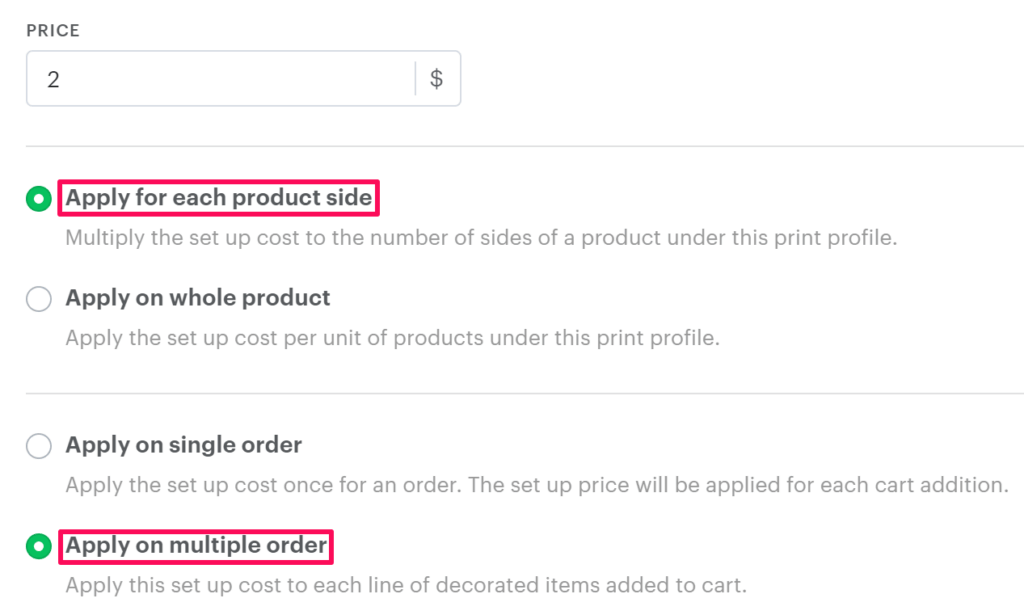
Product Price = $12
Setup Cost = $2
Total number of customized sides = 4
Quantity= 50
Answer:
Setup Cost = $2
Total number of customized sides = 4
Order Quantity = 50
Firstly, Apply for each product side calculation will be:
Apply for each product side = Setup Cost x Total number of sides customized
= $2 x 4
= $8
For the calculation of, Apply on multiple order the value will remain the same as it is set for setup cost, i.e, 2. This will not get multiplied by the order quantity
So, the Setup Cost is $8
The price will be shown to the customer:
Product Price + Decoration Price (Setup Cost)
= $12.00 + $8
= $20
So, the final price of the product will be $20.
Hypothetical Question 3:
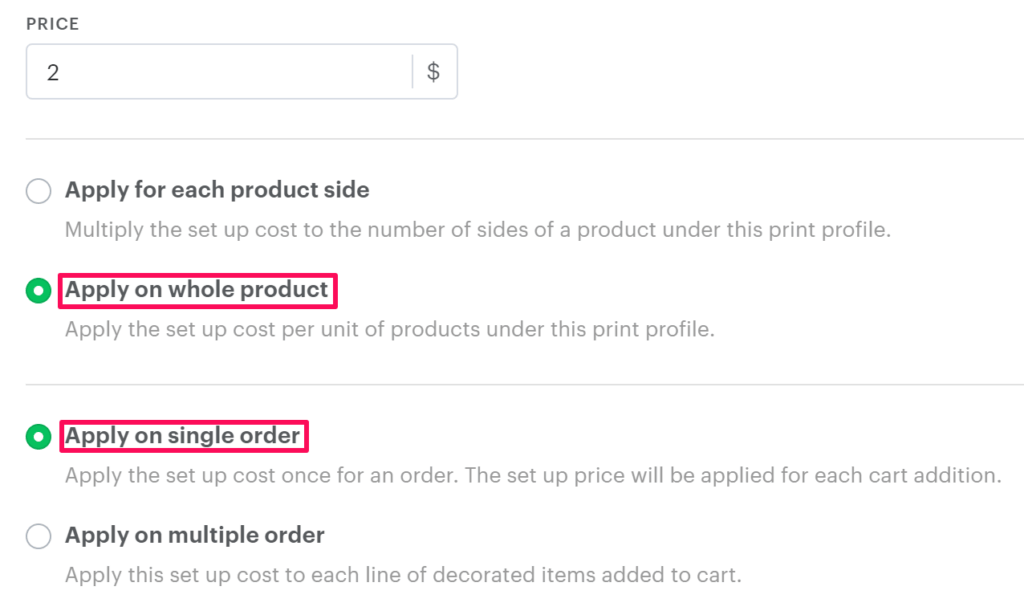
When Apply on the whole product and Apply on single order are enabled.
Product Price = $12
Setup Cost = $2
Total number of sides customized = 4
Quantity = 50
Answer:
Setup Cost = $2
Total number of customized sides = 4
Order Quantity = 50
Firstly calculation of, Apply on Whole product the calculation will be:
Here, the number of customized sides is 4, but the setup cost will not be multiplied by the number of sides. It will remain the same as a setup cost, i.e., $2.
So, Apply on whole product will be $2
Secondly, the calculation of, Apply on single order will be:
Apply on a single order = Order Quantity x Apply on whole product
= 50 x $2
= $100
So, the Setup Cost is $100
The price will be shown to the customer:
Product Price + Decoration price (Setup Cost)
= $12.00 + $100
= $112
So, the final price of the product will be $112.
Hypothetical Question 4:
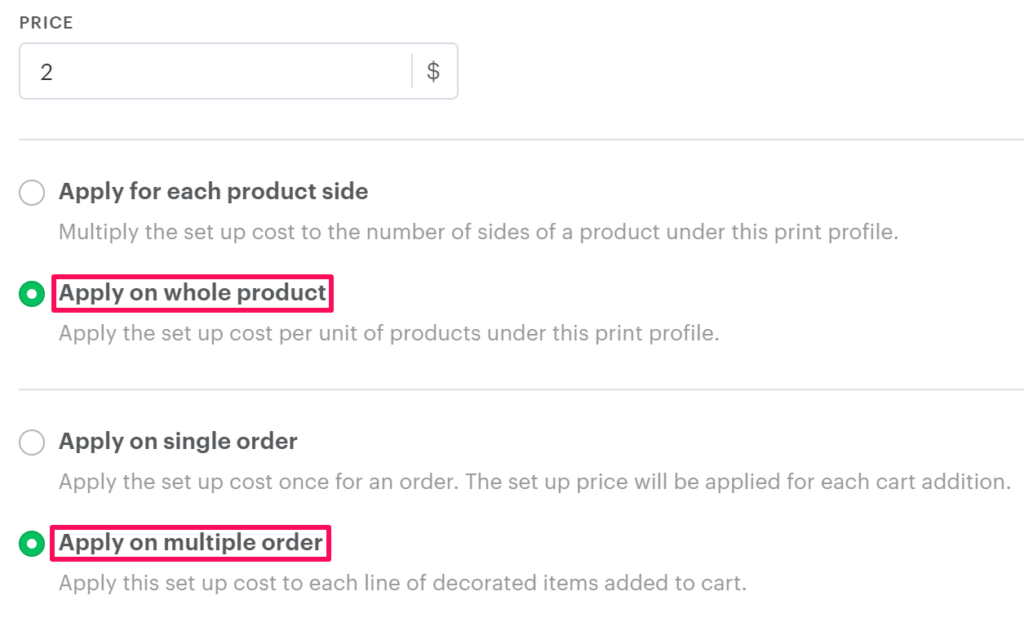
When Apply on whole product and Apply on multiple orders are enabled.
Product Price = $12
Setup Cost = $2
Total number of customized sides = 4
Quantity = 50
Answer:
Setup Cost = $2
Total number of customized sides = 4
Order Quantity = 50
Firstly, Apply on Whole product the calculation to the whole product:
Here, the number of customized sides is 4, but the setup cost will not be multiplied by the number of sides. It will remain the same as a setup cost, i.e., $2
So, Apply on whole product will be $2
Secondly, Apply on multiple order; the value will remain the same as it is set for setup cost, i.e, 2. This will not get multiplied by the order quantity
So, the Setup Cost is $2
The price will be shown to the customer:
Product Price + Decoration price (Setup Cost)
= $12.00 + $2
= $12
So, the final price of the product will be $14.