
Steps to Enable Price for Printable Color
► You can set the price for printable colors. The price will be added to the decoration price when your customers use colors from your premium colors.
1. Open Impact Designer Admin.
2. Click “Print Profile” in the navigation panel.

3. In the Print methods page, select your print method and click “Edit”
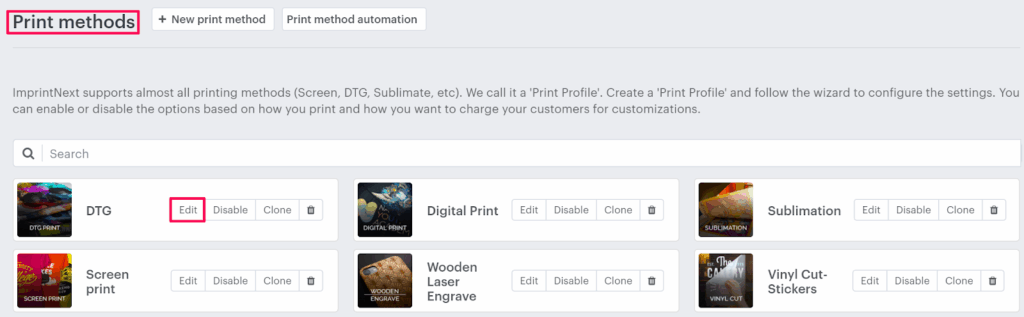
4. Select the Price Setting tab.

5. Click “Add Print Pricing”

6. A pop-up named Select pricing appears. Select the Printable color checkbox and click ”Apply.”
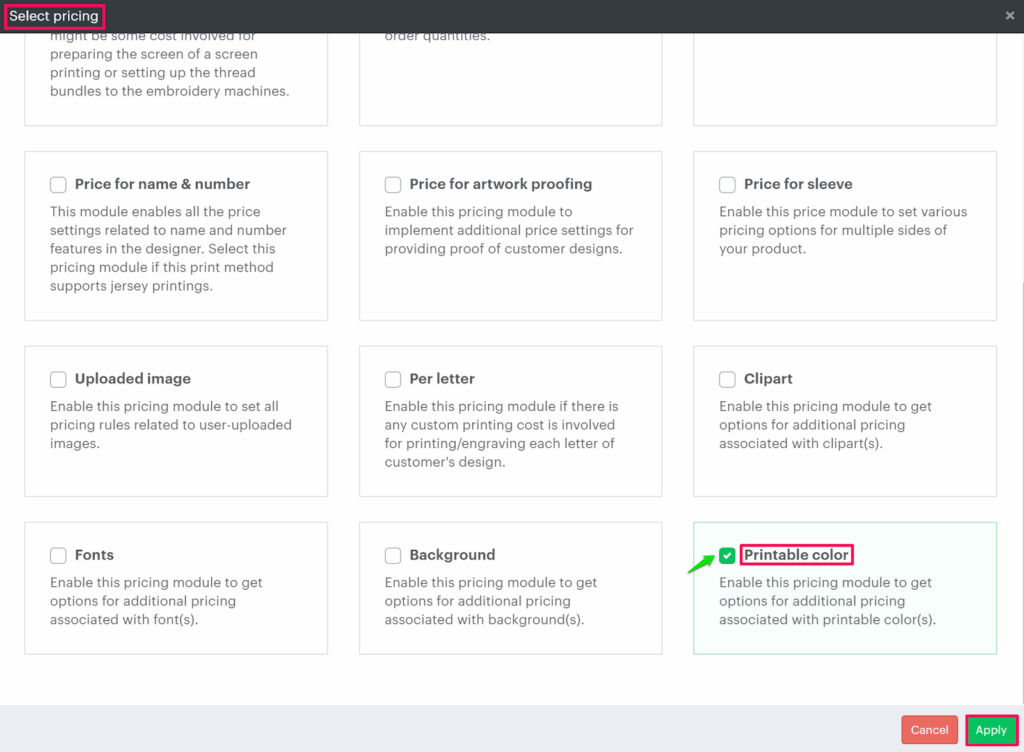
7. Under Print price setting, the Printable Color Price appears, and click “Save price setting.”

You have successfully enabled the price for printable color!
Example:
How will the tool calculate pricing based on the price configuration?
► The price for printable colors will be calculated in the tool when the user changes the design colors from the printable colors.
Hypothetical Question 1:
For an order placed for 1 T-shirt priced at $19 each with two sides customized. On the first side of the product, one clipart is added, which has two colors. So what will be the final price of the product?
Answer:
Order Quantity = 1
Total number of printable colors = 2
Price of first printable color = $3
Price of second printable color = $4
As two printable colors are used in the design, the price of each printable color will be added.
Printable Color Price = Price of first printable color + Price of second printable color
= $3 + $4
= $7
Decoration Price = Printable Color Price x Quantity
= $7 x 1
= $7
The price will be shown to the customer:
Product Price + Decoration Price
= ($19 x Order Quantity) + $7
= ($19 x 1) + $7
= $19 + $7
= $26
So, the final price of the product will be $26.
Hypothetical Question 2:
For an order placed for 33 T-shirts priced at $19 each, with two sides customized. On the first side of the product, one clipart is added, which has three. So what will be the final price of the product?
Answer:
Order Quantity = 33
Total number of printable colors = 3
Price of first printable color = $3
Price of second printable color = $4
Price of third printable color = $2.50
As three printable colors are used in the design so the price of each printable color will be added.
Printable Color Price = Price of first printable color + Price of second printable color + Price of Third printable color
= $3 + $4 +$2.50
= $9.50
Decoration Price = Printable Color Price x Quantity
= $9.50 x 33
= $313.50
The price will be shown to the customer:
Product Price + Decoration Price
= ($19 x Order Quantity) + $313.50
= ($19 x 33) + $313.50
= $627 + $313.50
= $940.50
So, the final price of the product will be $940.50