
Steps to Add Print Pricing
1. Open Impact Designer Admin.
2. Click “Print Profile” in the navigation panel.

3. In the Print methods page, select your print method and click “Edit”
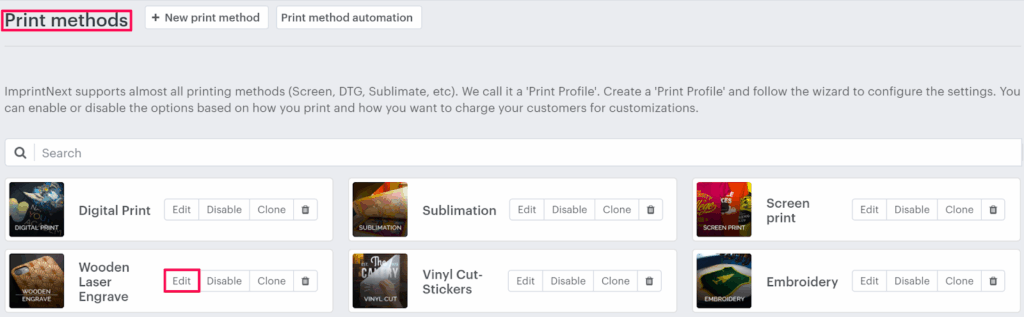
4. Select the Price Setting tab.

5. Click “Add Print Pricing”

6. A pop-up named Select Pricing will appear. Under Different Price Setup, select your price modules.
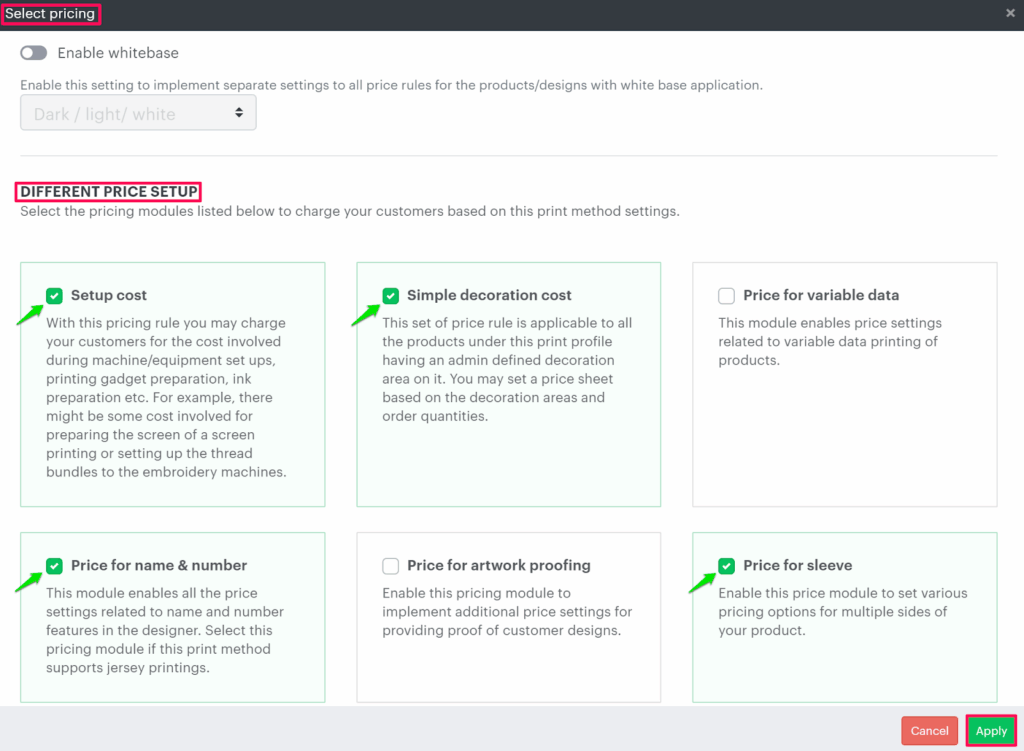
7. Click “Apply”.
8. In the Print Pricing page, the selected pricing modules will appear. Configure the pricing rules according to your requirements and click “Save Price Setting”.
You have successfully added print pricing!
► After setting the price rule, it will be calculated over the decoration price when the user adds designs to the product.