
Steps to Assign the Category and Subcategory of Printable Colors to the Print Method
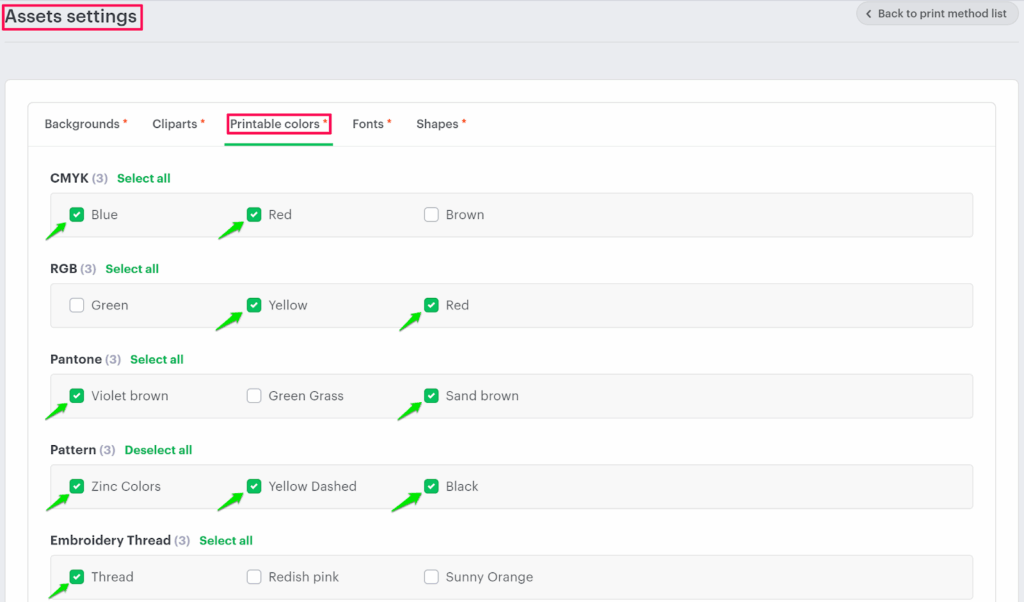
► Categories and subcategories added in the Assets section of printable colors will appear in the asset settings.
1. Open Impact Designer Admin.
2. Click “Print Profile” in the navigation panel.

3. In the Print methods page, select your print method and click “Edit.”
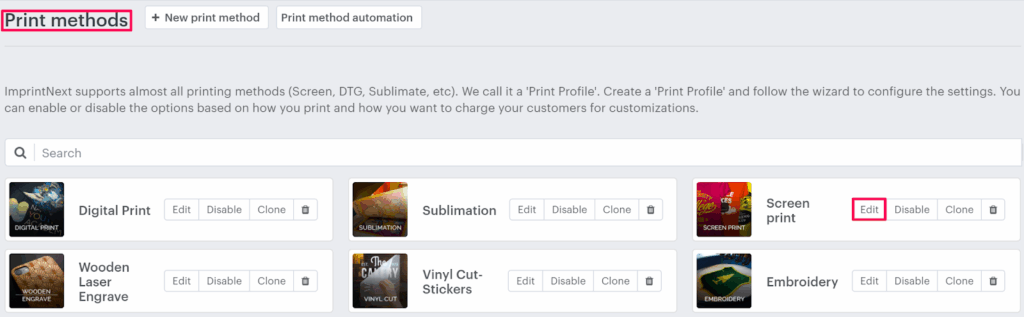
4. Select the Assets Setting tab.

5. The Assets settings page appears. Click the Printable colors tab and then select the checkbox of your desired subcategories, which are under the category.
6. Click “Save.”
You have successfully assigned the category and subcategory of printable colors to the print method!
► You must select at least one subcategory from any category.