
Steps to Download the Impact Designer Installation Package
► Check minimum server requirements here.
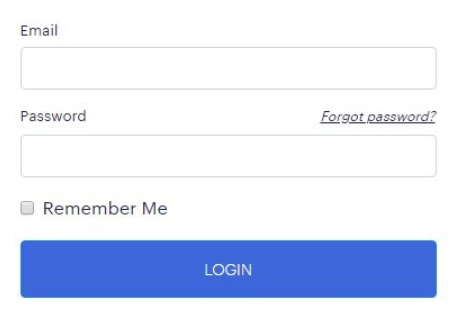
Step 1: Log in to Your Account
- Go to https://impactdesigner.com/customer/login.
- Enter your registered Email and Password, then click Login.
Step 2: Update Your Domain
- Once logged in, your Dashboard will open. Here you can view your registered domains and subscription details.
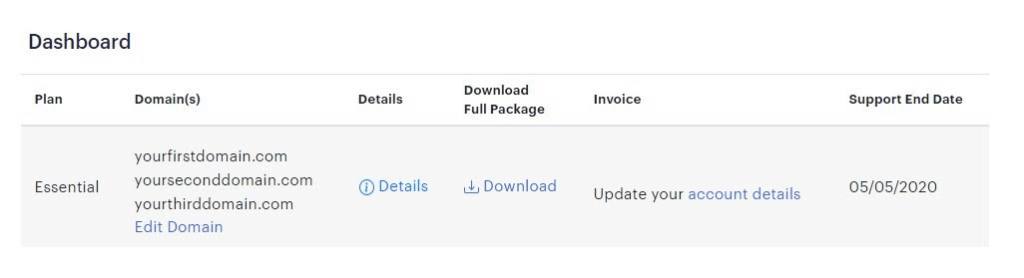
- Click “Edit Domain”.
- On the Update Domains page, enter the Domain URL where you want to install Impact Designer.
- Click “Update”.
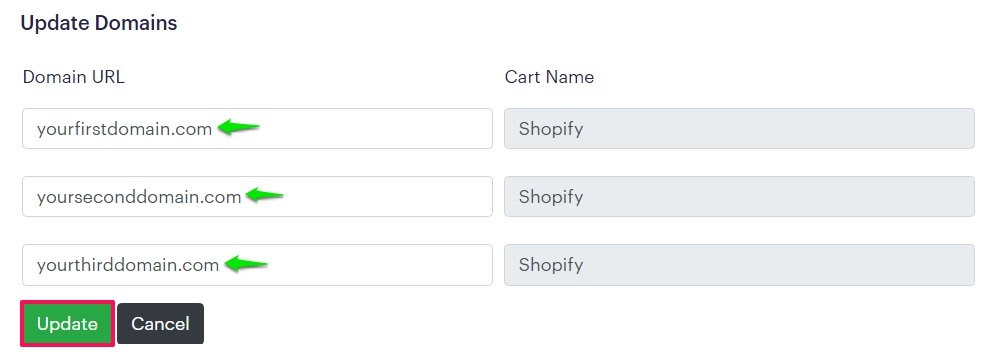
► You can install Impact Designer on up to three different domains. The “Cart Name” refers to your e-commerce platform.
Step 3: Download the Package
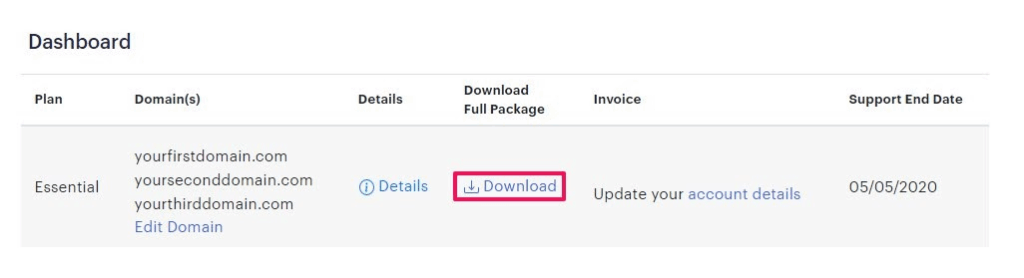
- Return to the Dashboard and click “Download” to download the Impact Designer package.
On the Download Package page:
- Open the “Select Domain” dropdown and select your domain.
- Open the “Select Store Version” dropdown and select the correct version of your store.
► The store version refers to the version of the E-Commerce platform that Impact Designer supports. - Choose the Impact Designer version you want, then click Download.
Step 4: Save and Upload
- A zip file named impactdesigner.zip will be downloaded. This contains all the files for the “Impact Designer” Designer application.
- Locate the file in your Downloads folder.
- Upload the zip file to your server for installation.
► To install Impact Designer for different E-Commerce platforms, follow the guidelines of your platform here.